
Pilot Guide
HeliRomandy Crew
Everything you need to fly with AirMed HUB: signing in, company flights, charters and missions, for helicopters, jets and smaller airplanes.
Welcome aboard
What you fly at AirMed HUB
AirMed HUB is a virtual airline and a medical dispatcher. Each kind of aircraft has its own missions.
Helicopters
H135, H145, AW139…Fixed-wing: jets and smaller airplanes
PC-12, King Air, Learjet, Challenger…How it works
Three ways to get a flight
Every flight starts in the Crew Portal, in Flights and dispatch, and is recorded by the Tracker from engine start to engine shutdown.
| Where | What it is (helicopters and airplanes) |
|---|---|
| Company flights | Flights published by the staff, including the Routes of the day (new random routes in Europe and North America every day). |
| Charter | You build your own flight. Helicopters: departure base, optional LZs on the map, return. Airplanes: any departure and arrival in the world. |
| Missions | The generator creates ready-to-fly missions from your base: scene calls, mountain rescue and transfers for helicopters; air ambulance flights for airplanes. |
Contents
1 · Getting started
How to access the Crew Portal
Your account is already activated by the staff. You only need three things to sign in.
- Download and install HeliRomandy Crew from the download page. Windows 10 or 11.
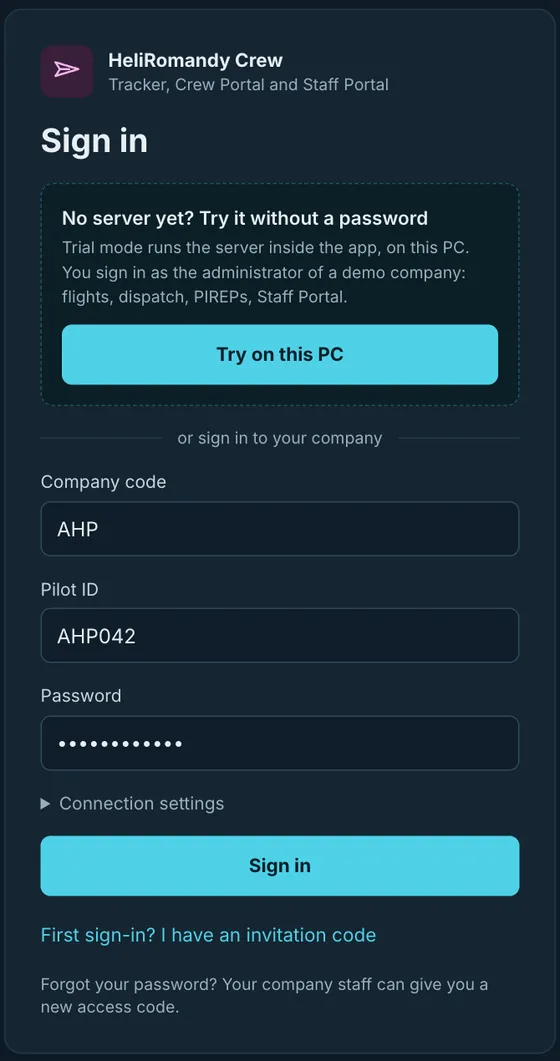
- Open HeliRomandy Crew. The sign-in window appears.
- Enter AHP, your Pilot ID and your password, then click Sign in.
- Start your simulator (MSFS 2020/2024 or X-Plane 12). The Tracker connects to it automatically.
Forgot your password? Ask the staff on Discord: they set a new one for you.
2 · Overview
The Crew Portal at a glance
The left menu gives you everything. The Tracker records your flights; the Crew Portal is where you choose them and follow your career.
| Menu | What you do there |
|---|---|
| Tracker | Follows the flight in progress: phases, map, altitude, speeds, fuel, landing rate. A compact mode keeps a small window next to your simulator. |
| Flights and dispatch | Three tabs: Company flights, Charter and Missions. You pick an aircraft and a registration, then start the flight. |
| My PIREPs | All your flight reports, drafts, pending, accepted or rejected, with the staff comments. |
| Latest flights | What the company pilots are flying: the last 10 flights and each pilot’s last flight. |
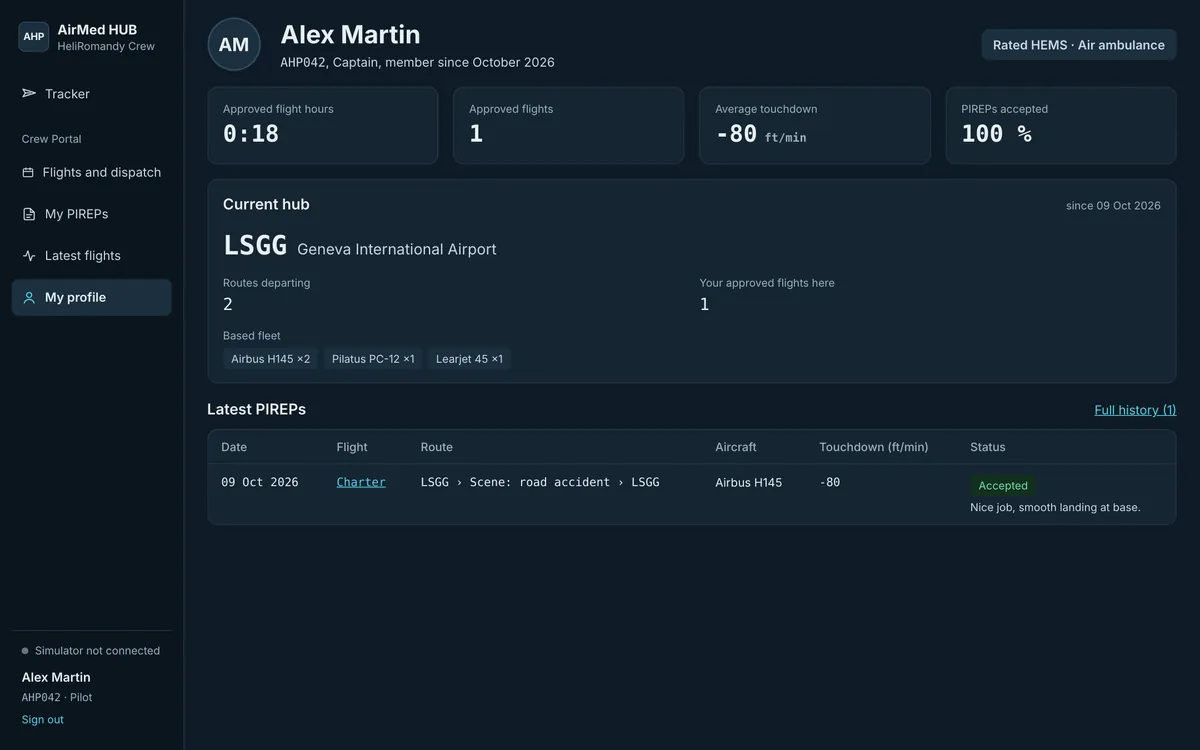
| My profile | Your hours, accepted flights, average touchdown, current hub and next steps. |
3 · Flights and dispatch
Company flights and Routes of the day
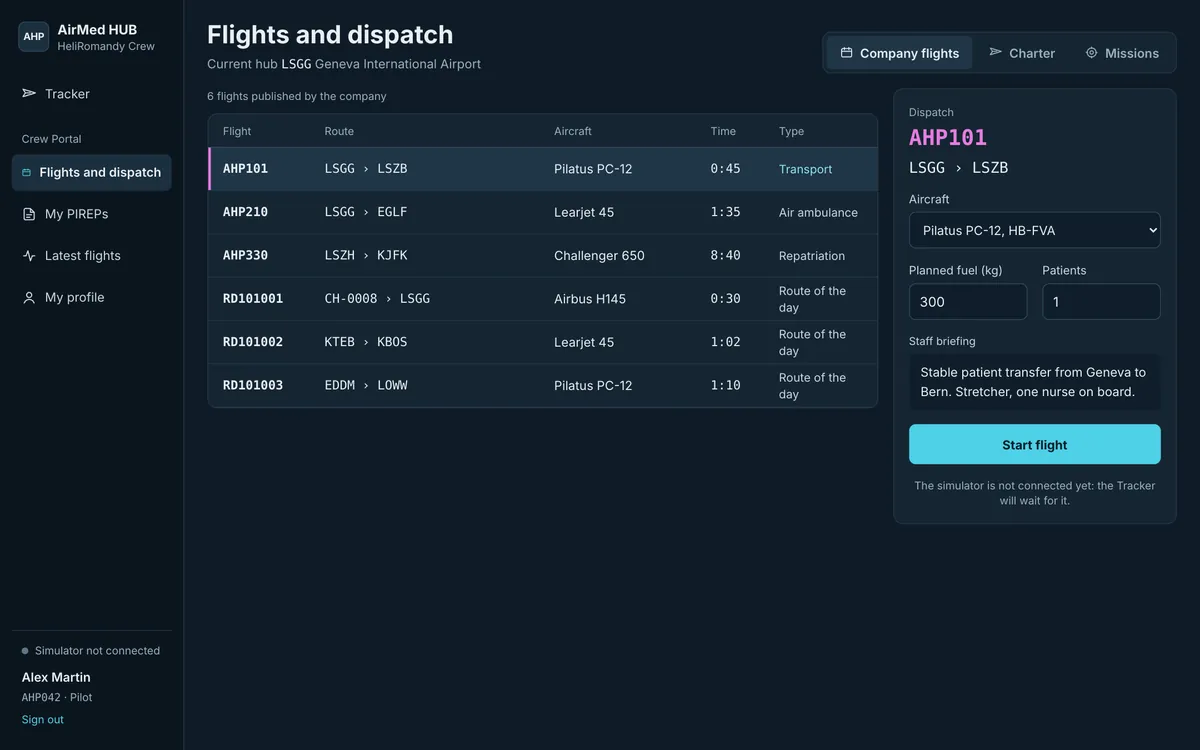
The staff publishes company flights: patient transfers, air ambulance, repatriations, and every day a new set of Routes of the day, drawn at random in Europe and North America.
- Open Flights and dispatch › Company flights and click a flight in the list.
- On the right, the Dispatch panel shows the route, the planned fuel, the load (patients) and the staff briefing.
- Choose the aircraft and registration from the company fleet.
- Click Start flight, then start up your aircraft in the simulator at the departure airport or heliport.
Helicopter routes
Hospital-to-hospital transfers of 20 to 85 NM. Departure and arrival can be hospital helipads: their codes look like CH-0008 and are known worldwide by the tracker.
Airplane and jet routes
Air ambulance flights between airports: 120 to 550 NM for turboprops, 300 to 1400 NM for jets.
4 · Charter
Helicopter charter, with or without LZ
Build your own flight: from a base to a hospital, a transfer between two helipads, or a scene call with one or more LZs placed on the map (a field, a road, a mountain hut). LZs are optional.
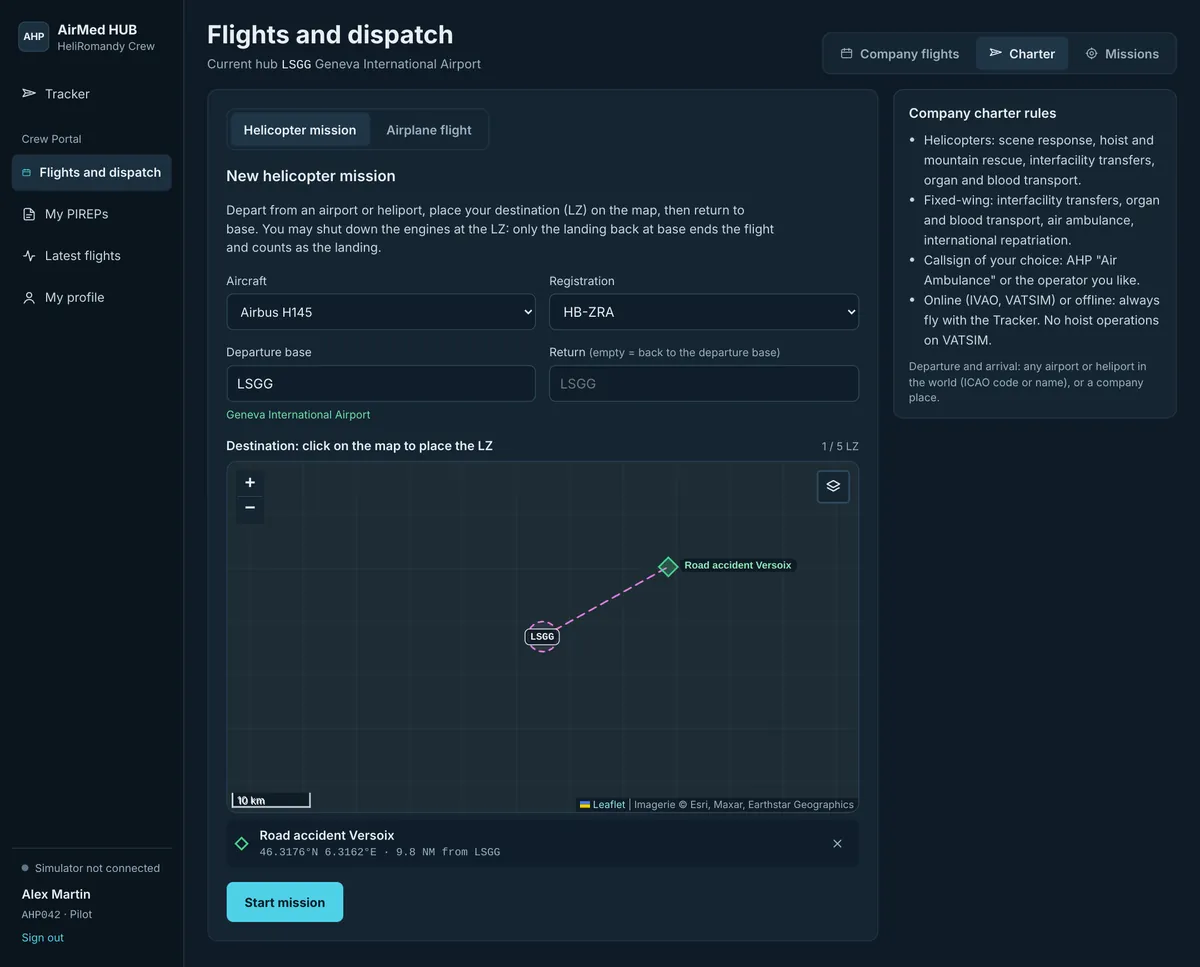
- Charter › Helicopter mission. Choose the aircraft and registration.
- Enter the Departure base (ICAO code or name). In Return, enter another airport or helipad, or leave it empty to come back to the same base.
- Optional: click on the map to place an LZ, give it a name, then Add this LZ. Up to 5 LZs. Without LZ, it is a simple flight from A to B.
- Click Start mission.
5 · Charter
Airplane and jet flights
For a fixed-wing medical flight of your choice: any departure and any arrival in the world.
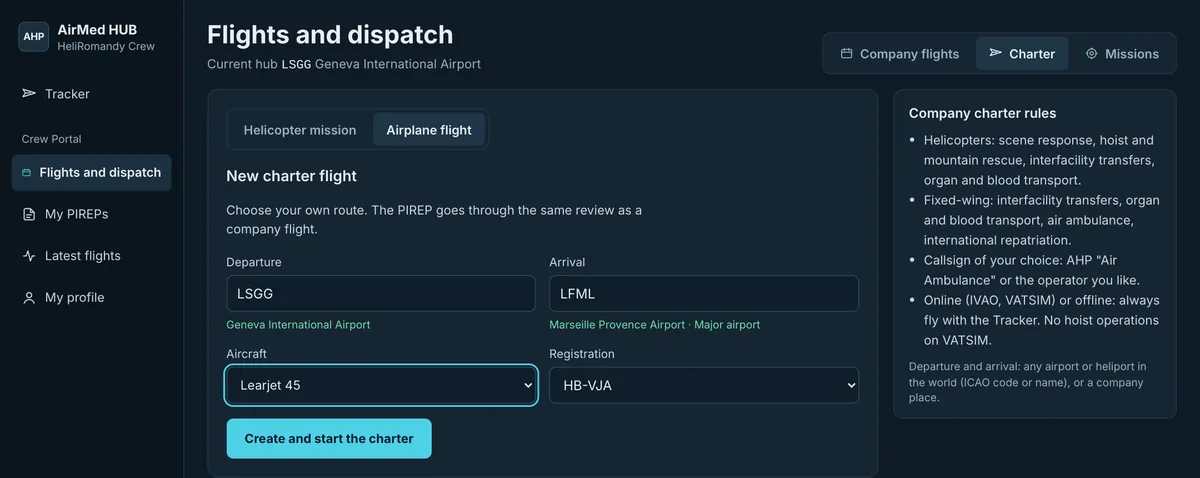
- Charter › Airplane flight.
- Enter the Departure and the Arrival (ICAO code or airport name; the name appears below the field when the code is known).
- Choose the aircraft and registration: turboprop or jet from the company fleet.
- Click Create and start the charter. Your PIREP goes through the same staff review as a company flight.
6 · Missions
Mission generator: helicopters
The dispatcher creates missions around your base: primary scene responses (a scene to reach, the nearest hospital, then back to base), mountain rescues and interfacility transfers.
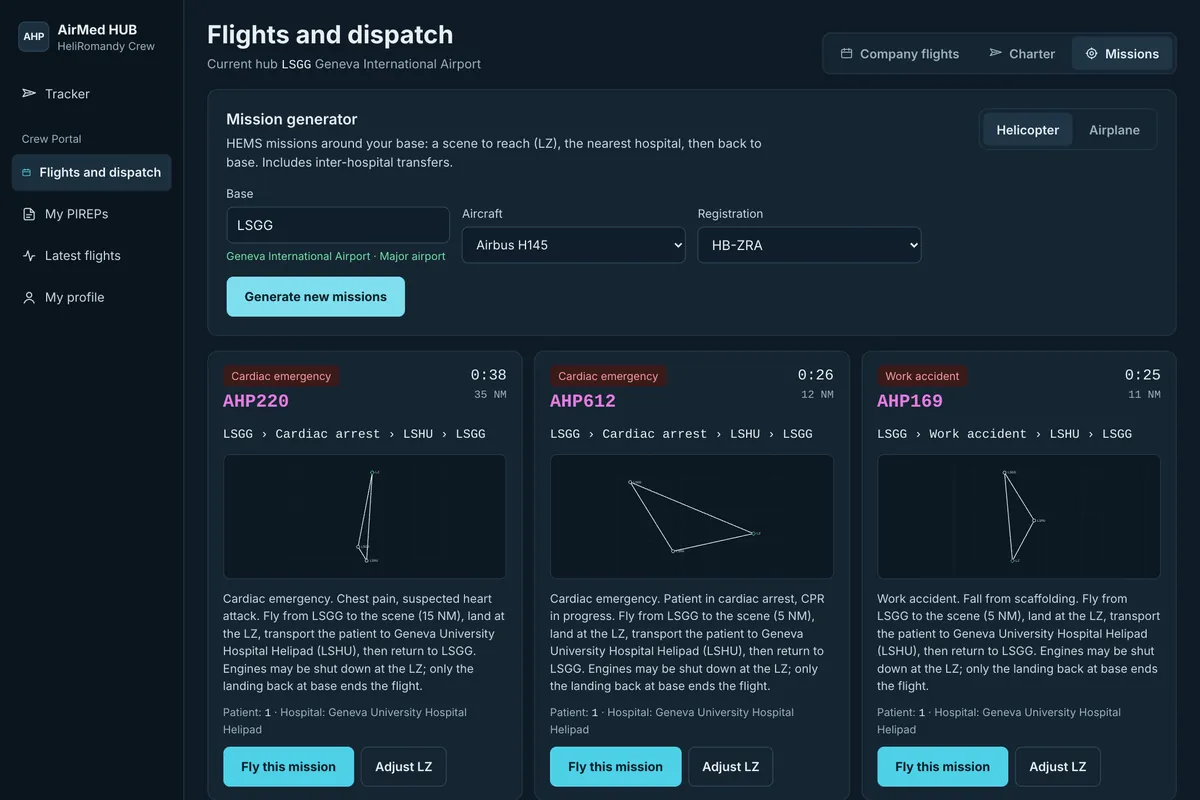
- Missions › Helicopter. Enter your Base and choose the aircraft and registration.
- Click Generate missions (again for new ones).
- Read the briefing, then Fly this mission.
Adjust LZ
The scene is placed automatically. With Adjust LZ you move it on the map to a realistic landing area: field, road, clearing, before you take off.
7 · Missions
Mission generator: airplanes and jets
From your base to real airports at the distance you choose: short (60–350 NM), medium (350–1200 NM) or long (1200–3500 NM).
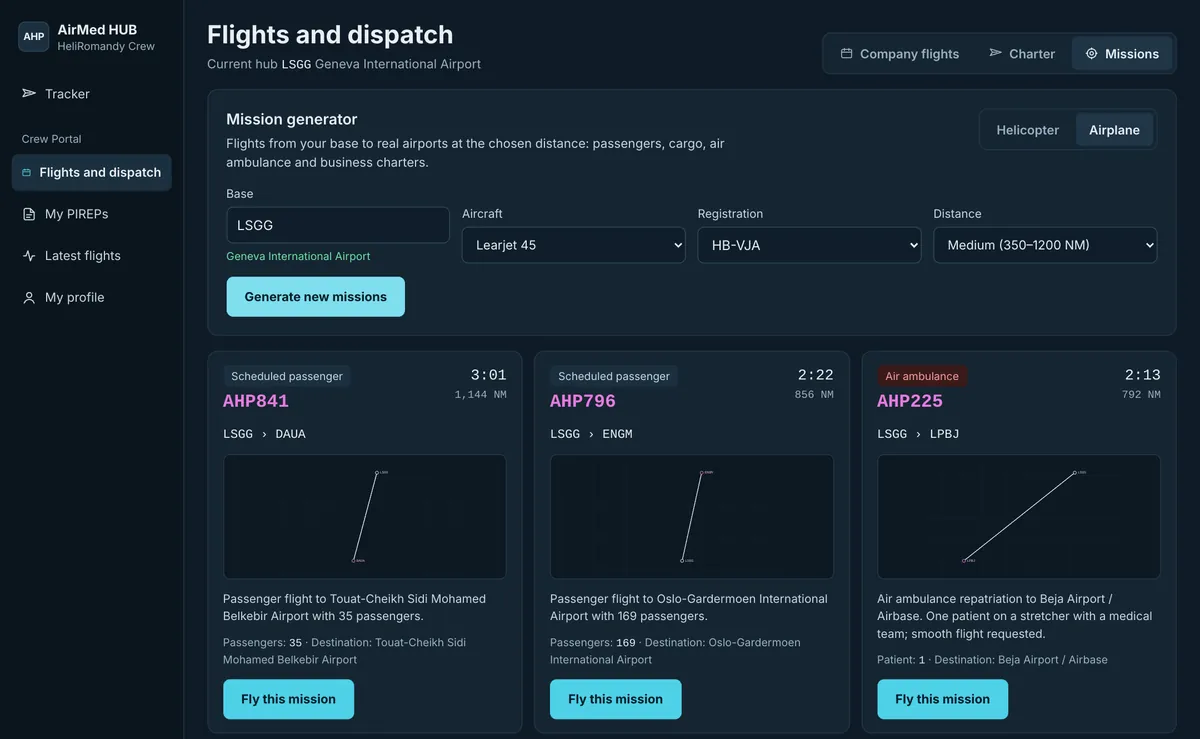
| Mission type | At AirMed HUB |
|---|---|
| Air ambulance | Fly it: air ambulance, interfacility transfer or international repatriation with a medical team. |
| Other types | Not AirMed HUB missions: click Generate new missions to get other proposals. |
8 · The AirMed HUB concept
Fly your way: callsign, networks, offline
This is the part few pilots understand at first, and it is on purpose: you do not have to fly online with the company callsign. AirMed HUB is a dispatcher as much as a virtual airline. What counts is that your flight is recorded by the Tracker.
The one rule: fly with the Tracker
Start every flight from the Crew Portal and keep the Tracker running until engine shutdown. Whatever the callsign, whatever the network, online or offline: if the Tracker recorded it, it counts.
Your callsign, your choice
Company callsign
Fly as AHP with the radio callsign “Air Ambulance”, e.g. AHP123 “Air Ambulance one two three”.
The operator you like
Fly for the real or virtual operator of your choice, with its own callsign and livery. It is allowed, and it is intended: AirMed HUB does not impose its callsign.
Online and offline
| Where you fly | What to do |
|---|---|
| IVAO | Add IVAOVA/AHP in the remarks (item 18) of your flight plan. Callsign, flight type and STS codes: see the How to fly on IVAO page of airmed-hub.ch. |
| VATSIM | Nothing to add to your flight plan. Avoid hoist operations: they are forbidden on VATSIM. |
| Offline | Allowed. Fly in your simulator without any network: the Tracker records the flight exactly the same way. |
9 · In flight
During the flight: the Tracker
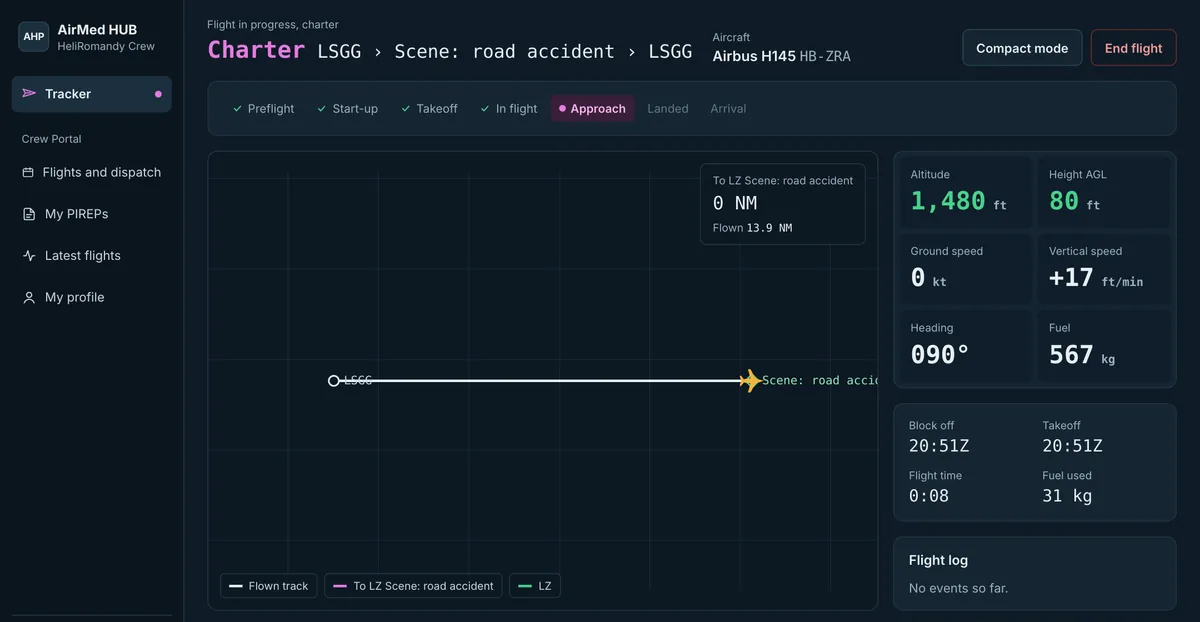
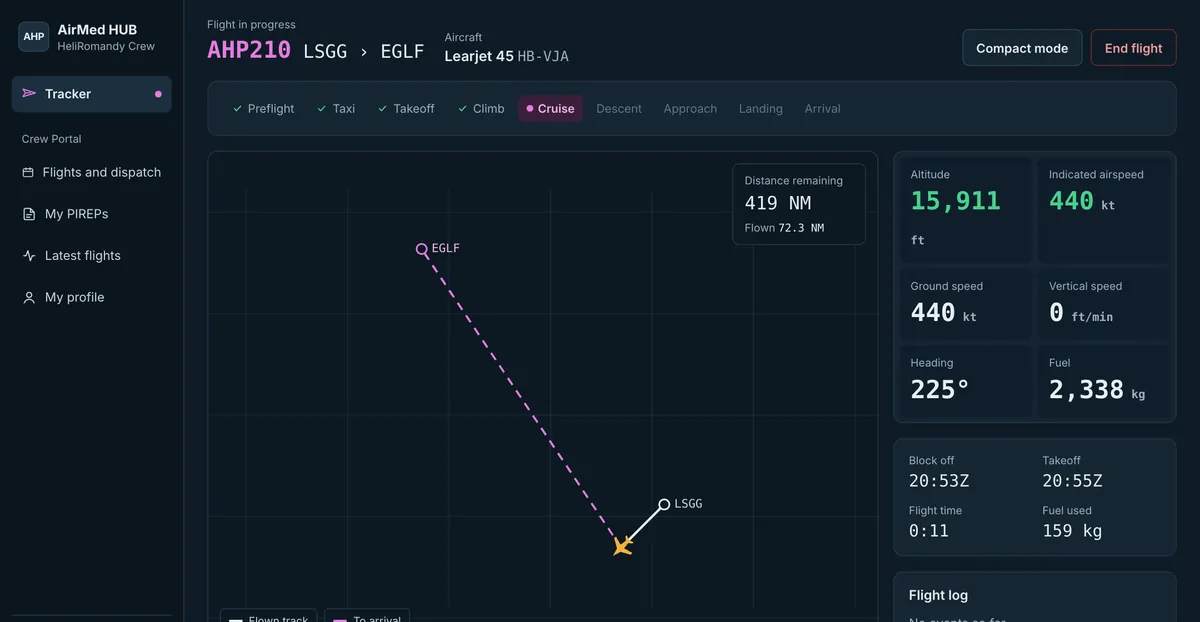
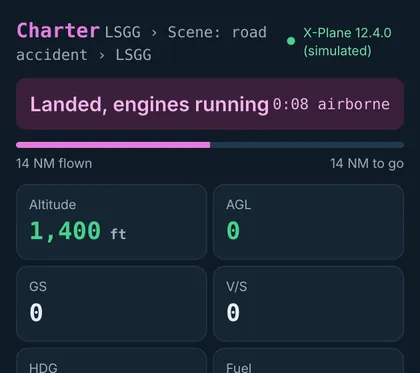
Once the flight is started, the Tracker follows you from engine start to engine shutdown. You have nothing else to do than fly.
10 · After the flight
Your PIREP
At engine shutdown, the Tracker prepares your flight report (PIREP): times, fuel, distance, legs, landings, LZs and hovers, plus the automatic fair-play checks.
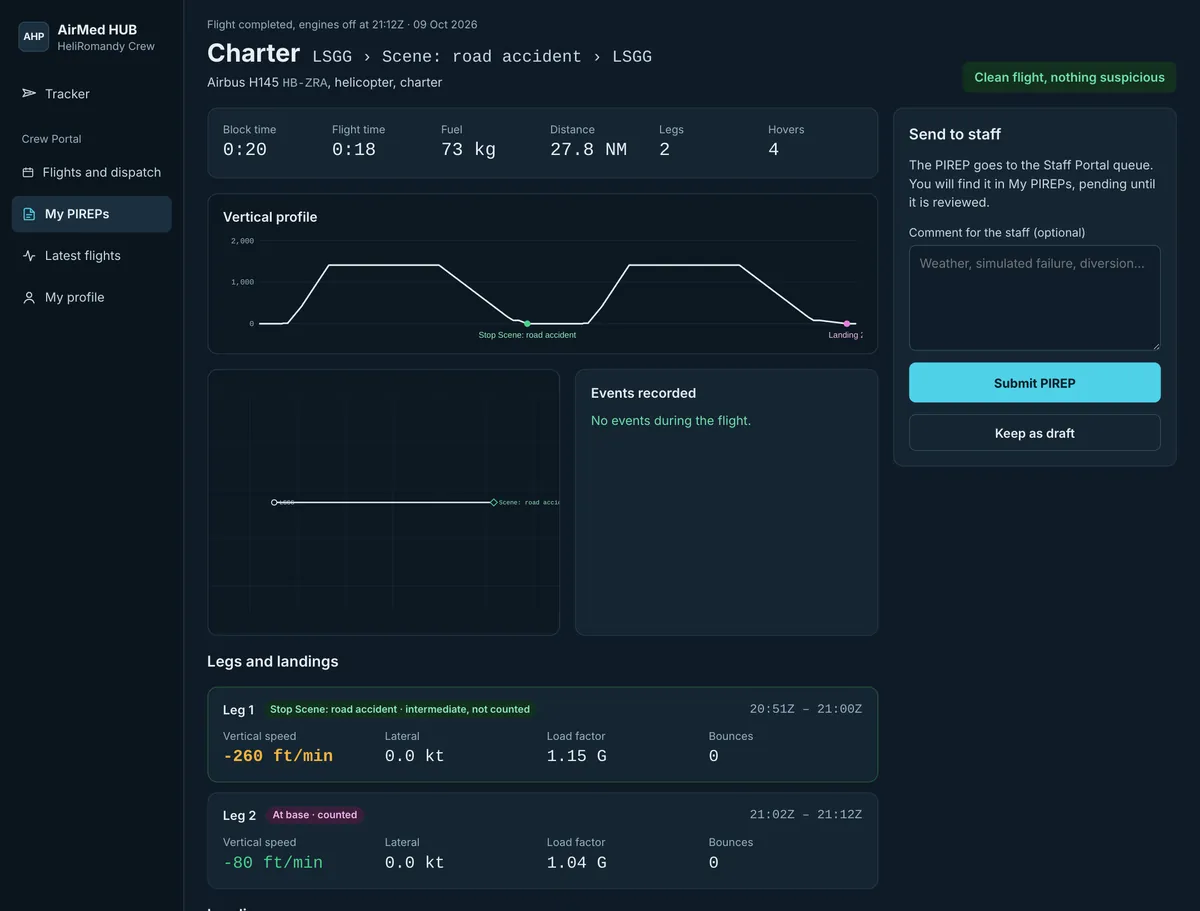
- Check the summary, add a comment for the staff if useful (weather, simulated failure, diversion).
- Click Submit PIREP. It goes to the staff queue; you can also keep it as a draft.
- Follow it in My PIREPs: Pending Accepted Rejected. Accepted flights add to your hours.
11 · Career and rules
Your profile, fair play and help
Fair play
- Real time only: no time acceleration, no pause, no slew or teleport.
- No refuelling in flight.
- Fly the aircraft and registration you selected, and land at the declared arrival.
- End the flight with the engines off.
The Tracker records these events and the staff sees them in your PIREP.
Networks
- IVAO: IVAOVA/AHP in the remarks (item 18).
- VATSIM: nothing to add, but no hoist operations (forbidden).
- Offline: allowed. Always with the Tracker.
- Callsign AHP “Air Ambulance” or the operator of your choice.